ABERDEEN CAMERA CLUB
  • Home
  • What's On
  • Galleries
  • The Blog
  • Links
  • Downloads
  • What's New
  • Cookie Opt-out
  • Contact us

Converting to Monochrome and Restoring Colour to Selected Areas

5/2/2021

 
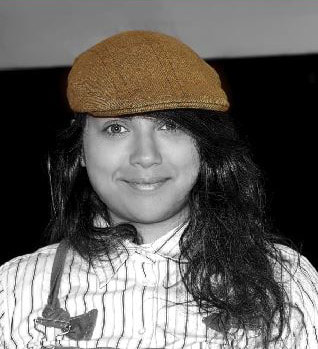
Here's how to change this image:
Picture
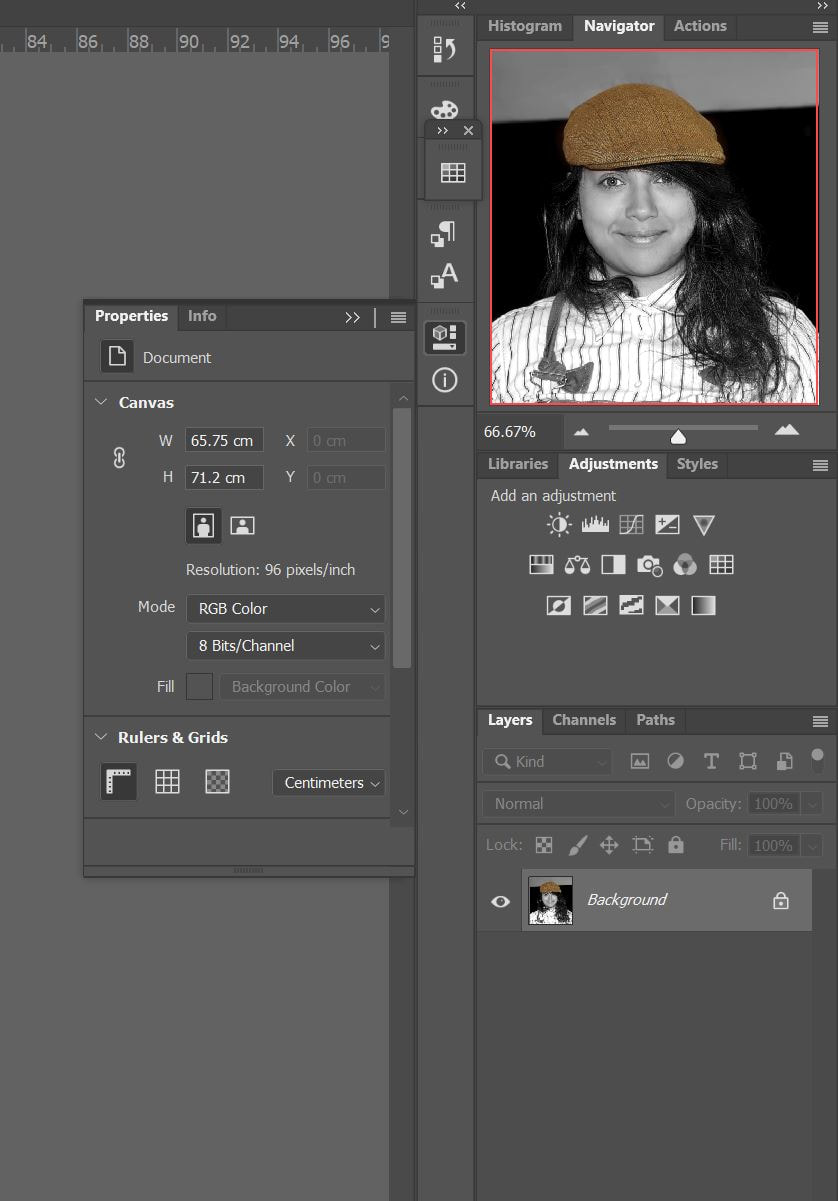
...into to this image:
Picture
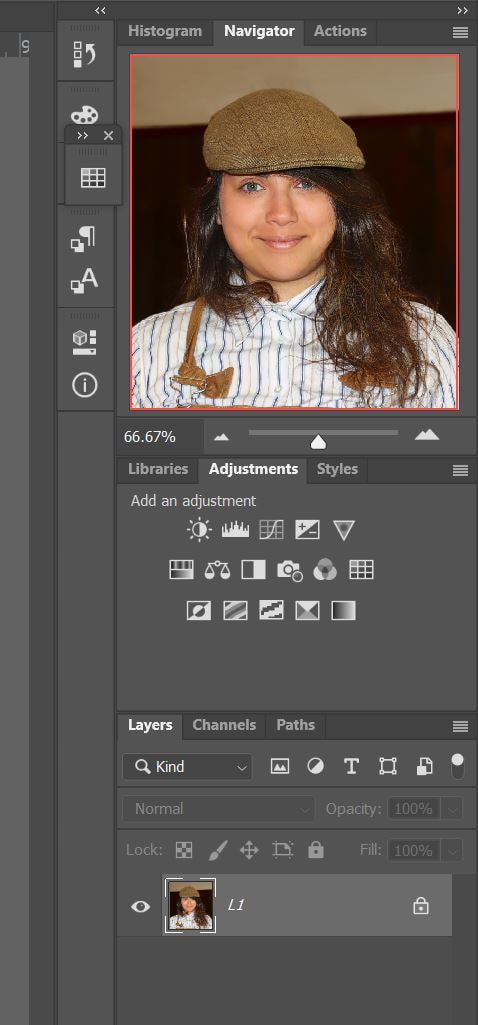
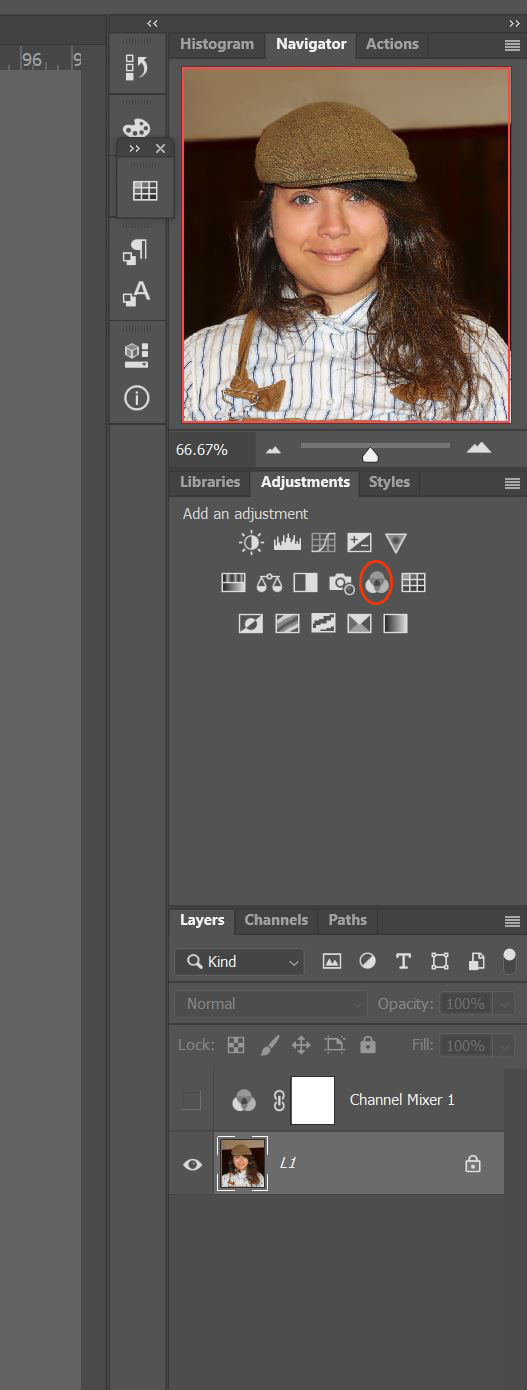
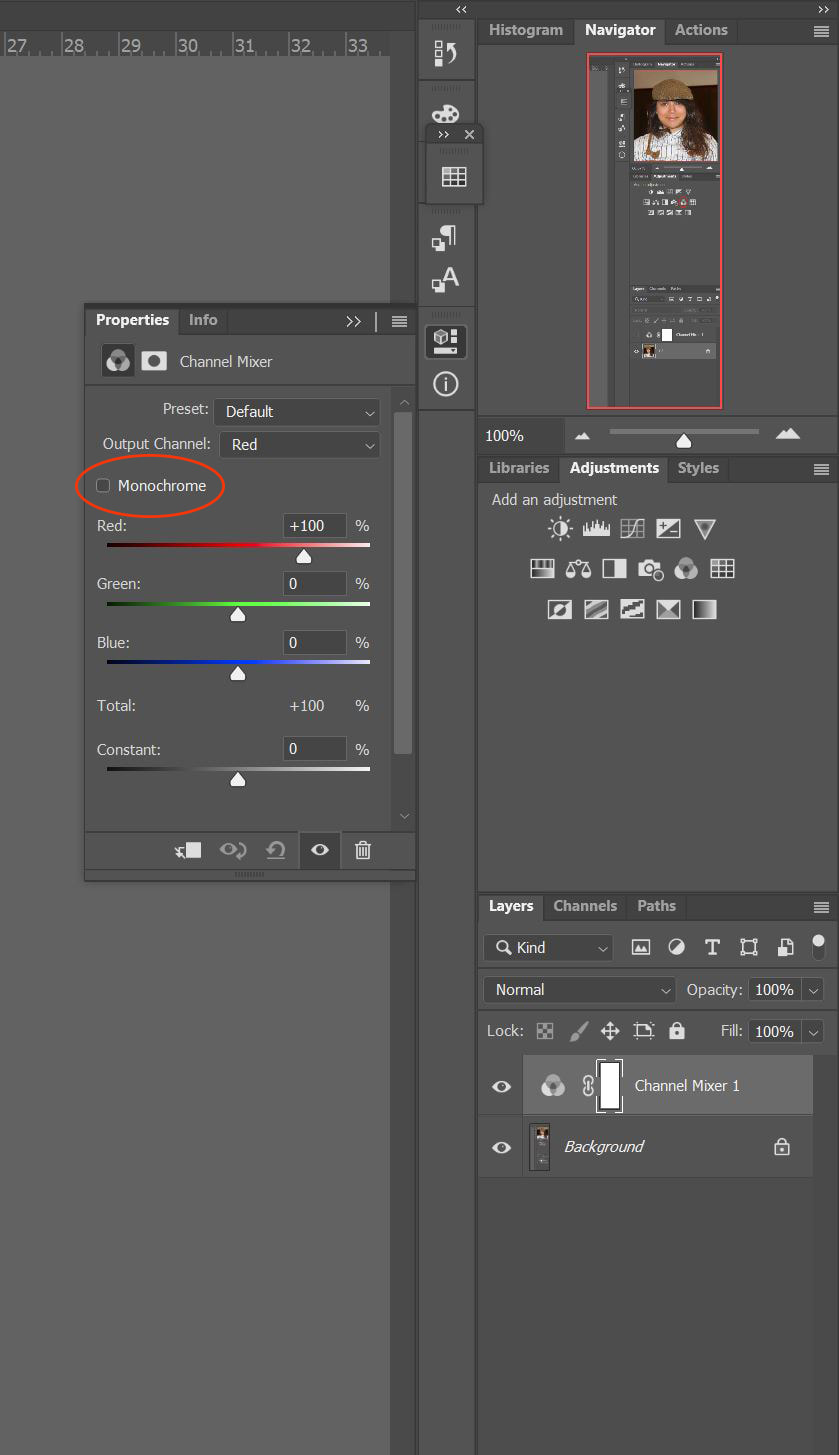
Here's another tip from Club member George Hay. This time how to use Photoshop to convert a full colour image into monochrome but also leave an area in its original colour. Click on the images below for a full size version of each figure mentioned here.
  1. Open image in Photoshop – Figure 1
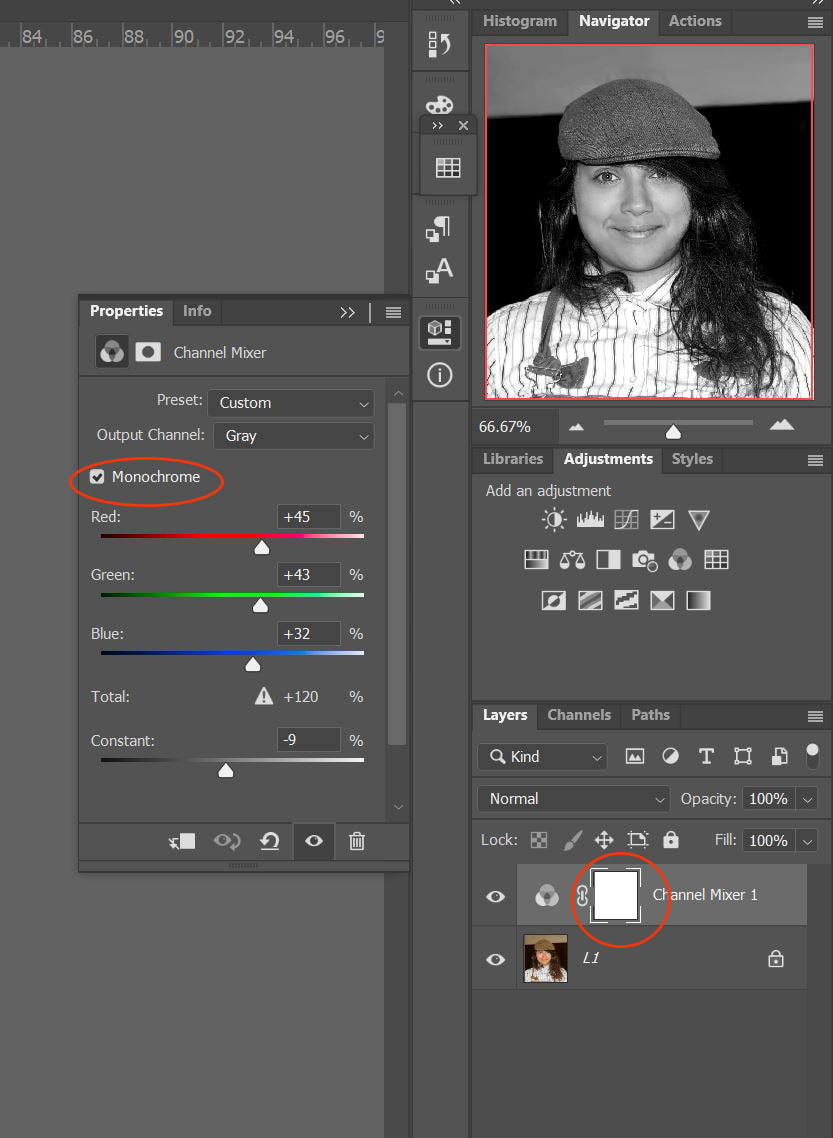
  2. Go to adjustment layers and select Channel Mixer, and Create new channel layer – Figure 2.
  3. Tick the small box at the top left Monochrome – Figure 3.
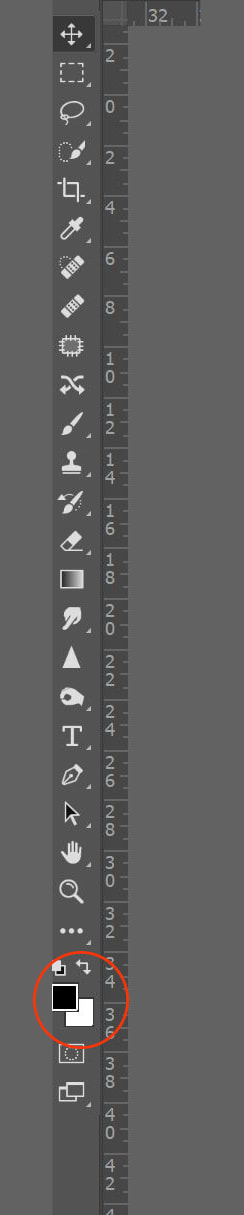
  4. Make sure the background and foreground colours are set to black and white, press D on the keyboard. – Figure 4.
  5. Make sure the Layer Mask on the Channel Mixer Layer is highlighted, white line around layer mask. – Figure 5.
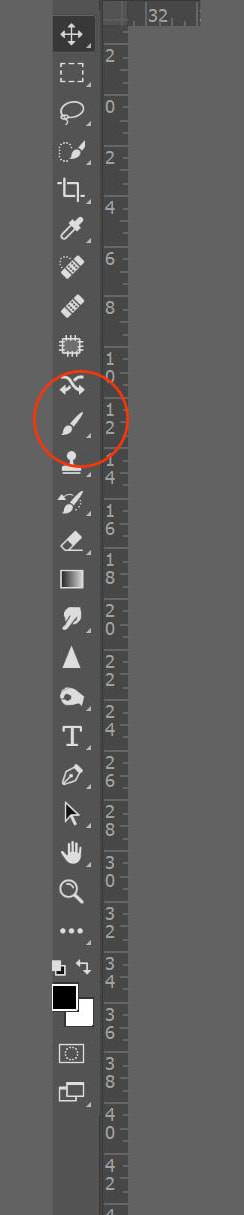
  6. Make sure that black is selected for the foreground colour, choose the paint brush tool then paint over the area you wish to bring back the colour. If you make a mistake change the foreground to white and paint over to restore.
This method can be used to convert the image to monochrome before any adjustments are made to the image, and adjustment layers used to create the desired effect. A fully adjusted colour image can be converted and colour restored to desired areas.


Comments are closed.

    Archives

    July 2025
    March 2025
    February 2025
    October 2024
    August 2024
    July 2024
    May 2024
    April 2024
    December 2023
    October 2023
    September 2022
    February 2021
    January 2021
    November 2020
    July 2020
    April 2020
    February 2020
    December 2019
    November 2019
    October 2019
    September 2019
    June 2019
    May 2019
    April 2019
    February 2019
    January 2019
    December 2018
    November 2018
    September 2018
    August 2018
    June 2018
    February 2018
    November 2017
    September 2017
    July 2017
    June 2017
    May 2017
    April 2017
    March 2017
    February 2017
    December 2016
    November 2016
    October 2016

    Categories

    All
    Competitions
    Exhibitions
    News
    Technique

    RSS Feed

Powered by Create your own unique website with customizable templates.
  • Home
  • What's On
  • Galleries
  • The Blog
  • Links
  • Downloads
  • What's New
  • Cookie Opt-out
  • Contact us