ABERDEEN CAMERA CLUB
  • Home
  • What's On
  • Galleries
  • The Blog
  • Links
  • Downloads
  • What's New
  • Cookie Opt-out
  • Contact us

How to add a border to an image (Neil Blair)

21/12/2016

 
Here's a simple way to add a border to the edge of an image using any flavour of Photoshop (Elements or Photoshop itself):
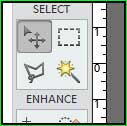
  1. select the marquee tool (the dotted square) and use it to select the entire image (alternatively choose "Select" then "All" from the top menu bar)
  2. from the top menu bar select "Edit" then "Stroke (Outline) Selection"
  3. set the "Width" to however wide you want the border to be, for example 3 for a narrow border, 15 for a wider one (notice you can set the width in pixels by typing "3 px", millimetres as "3 mm" or inches as "0.1 in", if you just type the number, Photoshop will use a width in pixels)
  4. select a colour for the border by clicking on the coloured square labelled "Color"
  5. set the "Location" to "Inside"
  6. click "OK"
If your first border is thick enough, you can make a double border by repeating the steps above but choosing a different colour and a smaller thickness, the result will then look like the image below (showing the "marquee" tool) - using first a 3 pixel black border then a 1 pixel green one.

by Neil Blair
Picture

Comments are closed.

    Archives

    July 2025
    March 2025
    February 2025
    October 2024
    August 2024
    July 2024
    May 2024
    April 2024
    December 2023
    October 2023
    September 2022
    February 2021
    January 2021
    November 2020
    July 2020
    April 2020
    February 2020
    December 2019
    November 2019
    October 2019
    September 2019
    June 2019
    May 2019
    April 2019
    February 2019
    January 2019
    December 2018
    November 2018
    September 2018
    August 2018
    June 2018
    February 2018
    November 2017
    September 2017
    July 2017
    June 2017
    May 2017
    April 2017
    March 2017
    February 2017
    December 2016
    November 2016
    October 2016

    Categories

    All
    Competitions
    Exhibitions
    News
    Technique

    RSS Feed

Powered by Create your own unique website with customizable templates.
  • Home
  • What's On
  • Galleries
  • The Blog
  • Links
  • Downloads
  • What's New
  • Cookie Opt-out
  • Contact us